ISP / NetworkingPrymLink product
PrymLink Hotspot
Complete Wi-Fi hotspot billing and network management platform for MikroTik routers.
- Client
- PrymLink (in-house product)
- Sector
- ISP / Networking
- Year
- 2026
- Platforms
- Web console, Captive portal, Smart TV
- Stack
- PHP 8 · MariaDB · HTML/JS · MikroTik RouterOS API · Paystack · GiantSMS
//01 —The challenge
Selling Wi-Fi on MikroTik routers usually means printing vouchers by hand, collecting cash, and guessing why a customer cannot connect. Schools, hospitals and churches need different rules again: shared plans, member codes, and devices like Smart TVs that cannot open a login page.
//02 —What we built
PrymLink Hotspot is the platform we use to run our own Wi-Fi internet business, and it is built to run anyone else's. It sits on top of MikroTik routers and handles everything between a customer joining the network and a manager reading the day's revenue: plans and pricing, Mobile Money payments, vouchers, customer accounts, loyalty, staff, and the routers themselves.
There are three faces to the system. Customers meet the captive portal and their own account page. Staff work in a console that shows the whole network at a glance. Administrators get the tools to manage branches, roles, messaging and the routers directly, without logging into each device.
Pay, connect, done
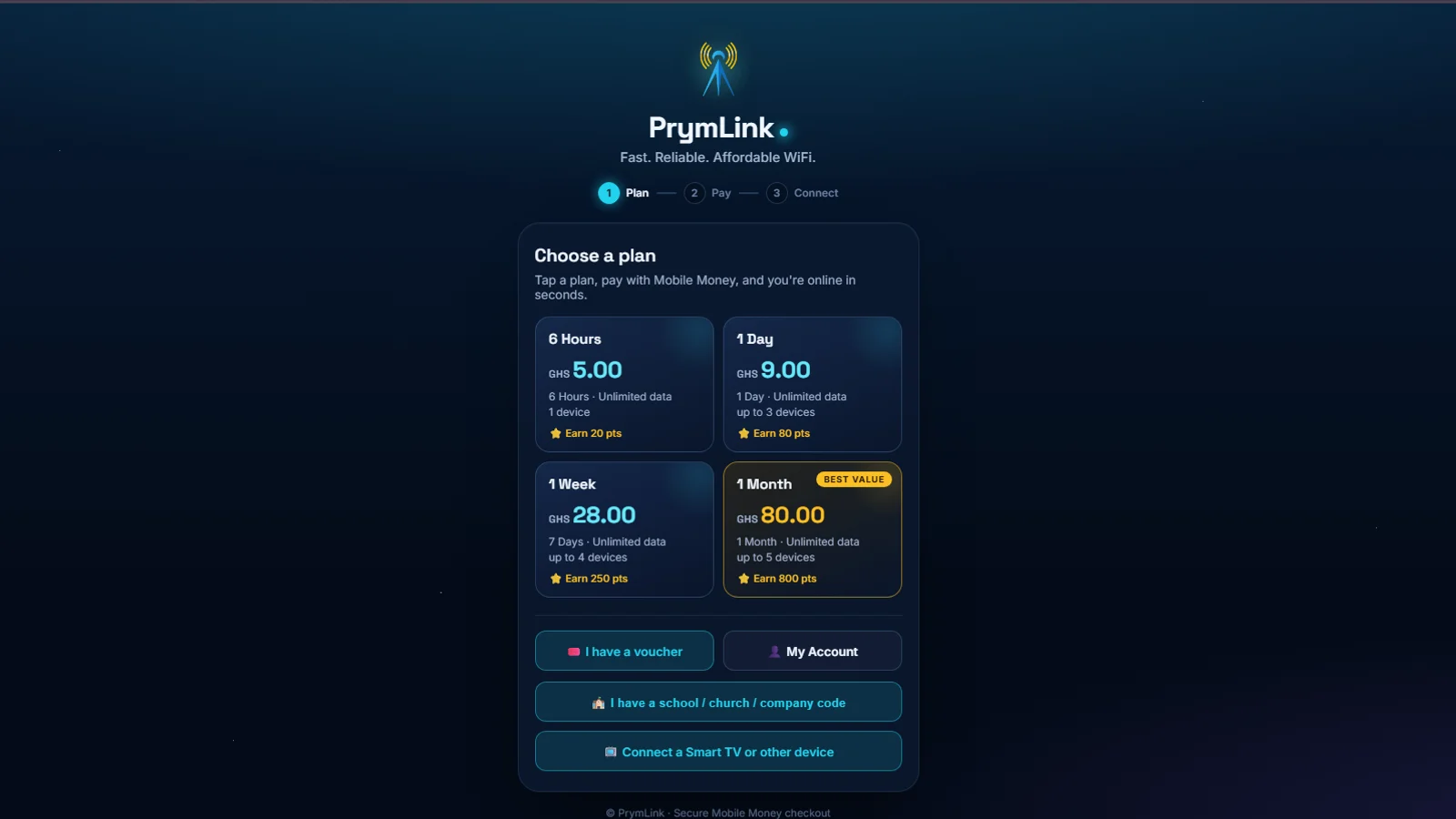
A captive portal with Paystack Mobile Money checkout and voucher login, plus Smart TV sign-in by MAC address for devices that cannot open a login page.
Built for organisations
Plans for schools, hospitals and churches, with member access codes, bulk vouchers and portal bypass with speed limits for staff and special devices.
Every branch, one console
Roles, permissions and an audit log for staff; live bandwidth and per-device usage; a self-healing scheduler; and connection-health diagnostics read straight from router logs.
//03 —How it works
What the system does, module by module.
5 parts working together, each described from the system itself.
- 01
Captive portal
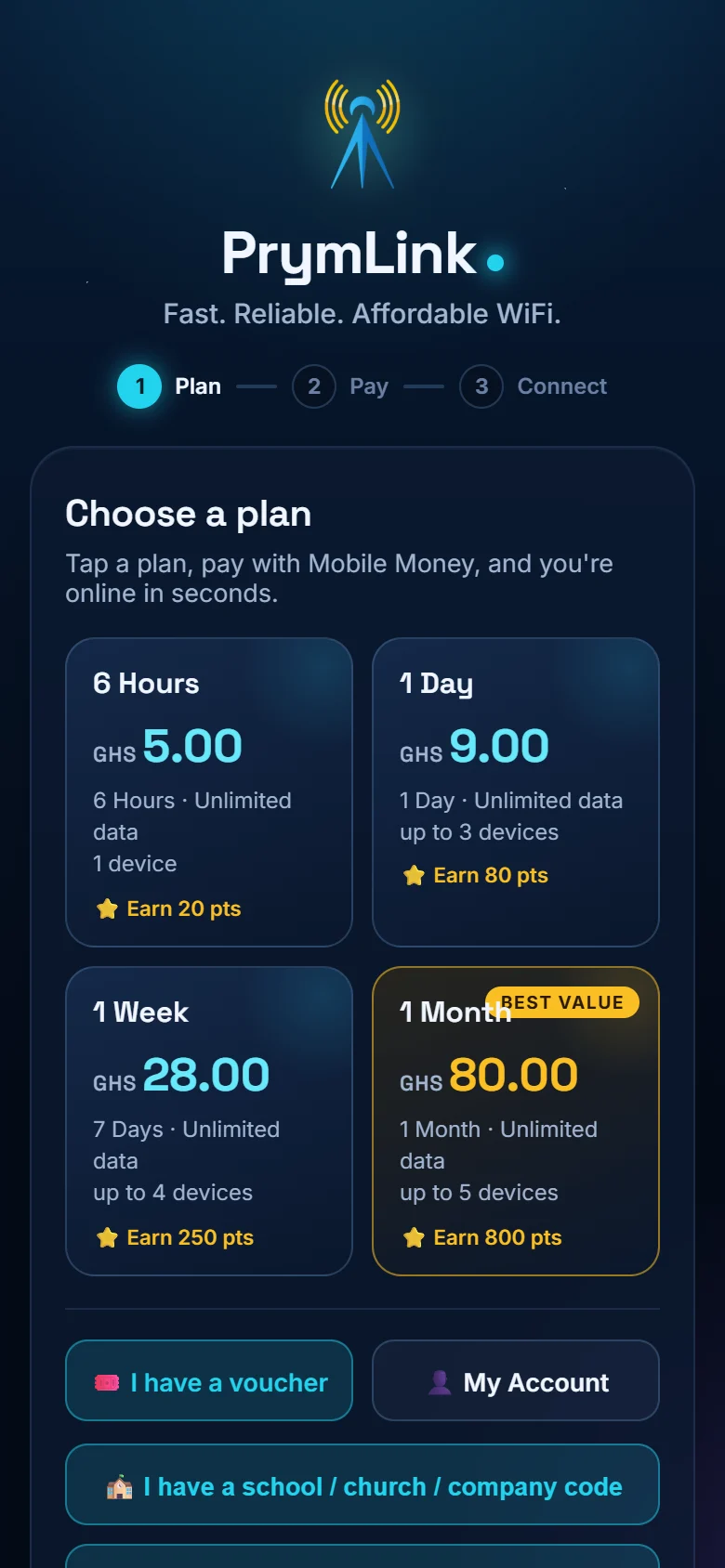
What a customer sees the moment they join the Wi-Fi: pick a plan, pay, and get online in three steps (Plan, Pay, Connect).
- Plans by duration (hours, a day, a week, a month) with price, data allowance and the number of devices allowed
- Pay with MTN, Telecel or AirtelTigo Mobile Money; a payment prompt arrives on the customer's phone
- Log in with a voucher instead of paying
- School, church and company access codes for organisation plans
- Connect a Smart TV or other device that cannot open a login page, by MAC address
- Each plan shows the loyalty points it earns
- 02
Customer accounts and loyalty
Customers sign in with their phone number to manage their internet in one place.
- Active vouchers, total spent and loyalty points on the home screen
- Buy a new plan without going back through the portal
- Purchase history, registered devices and profile
- Loyalty tiers (e.g. Bronze) with points earned and redeemed
- Redeem points for free internet time
- 03
Staff console
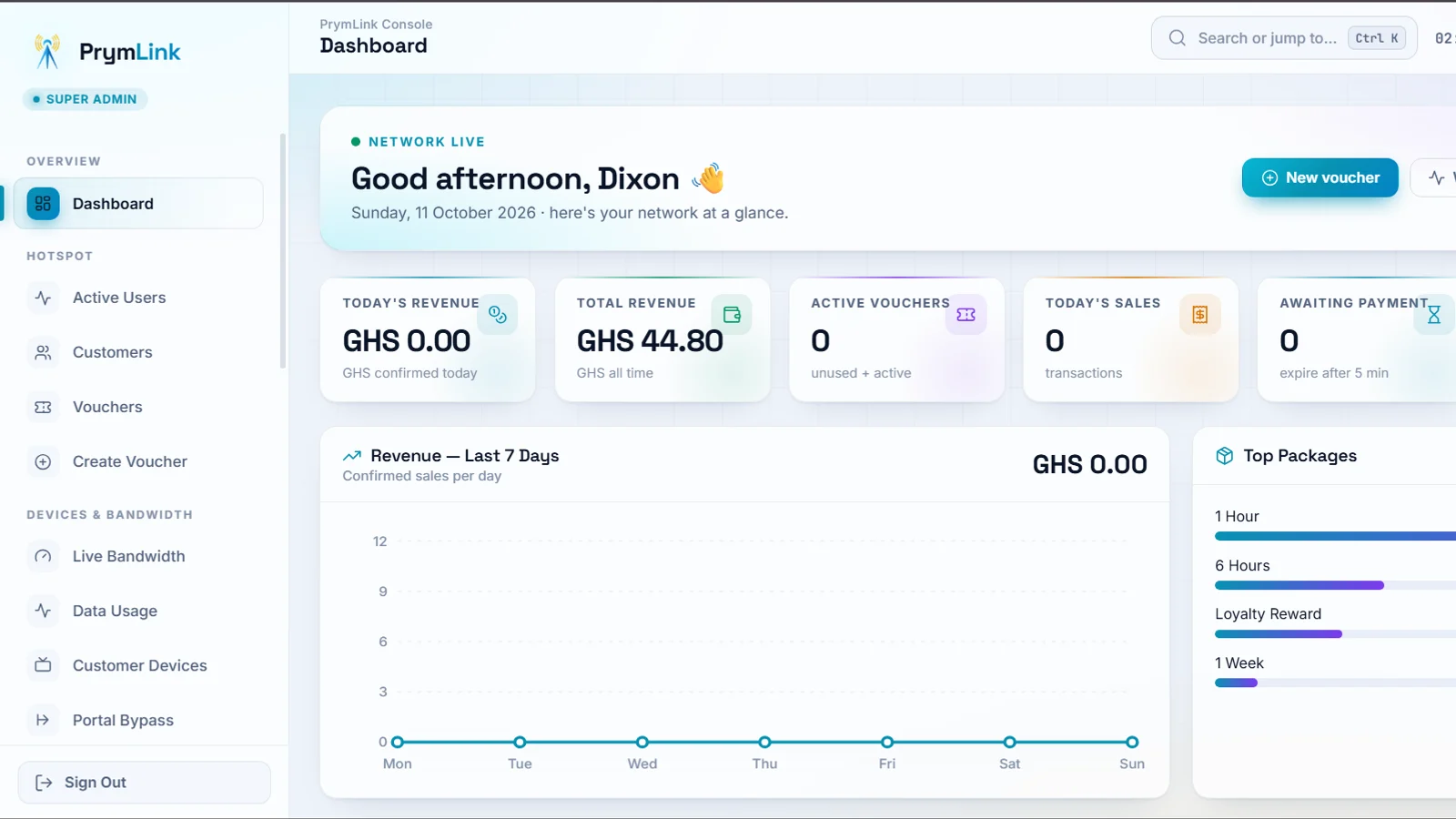
A live view of the network and the money it makes, with the day-to-day tools staff need.
- Today's revenue, total revenue, active vouchers, today's sales and payments awaiting confirmation
- Revenue for the last seven days and the best-selling packages
- Active users, customers, vouchers and voucher creation
- Live bandwidth, per-device data usage, customer devices and portal bypass
- A Trash where deleted records can be restored for 30 days
- 04
Network tools
The routers are managed from the console, branch by branch.
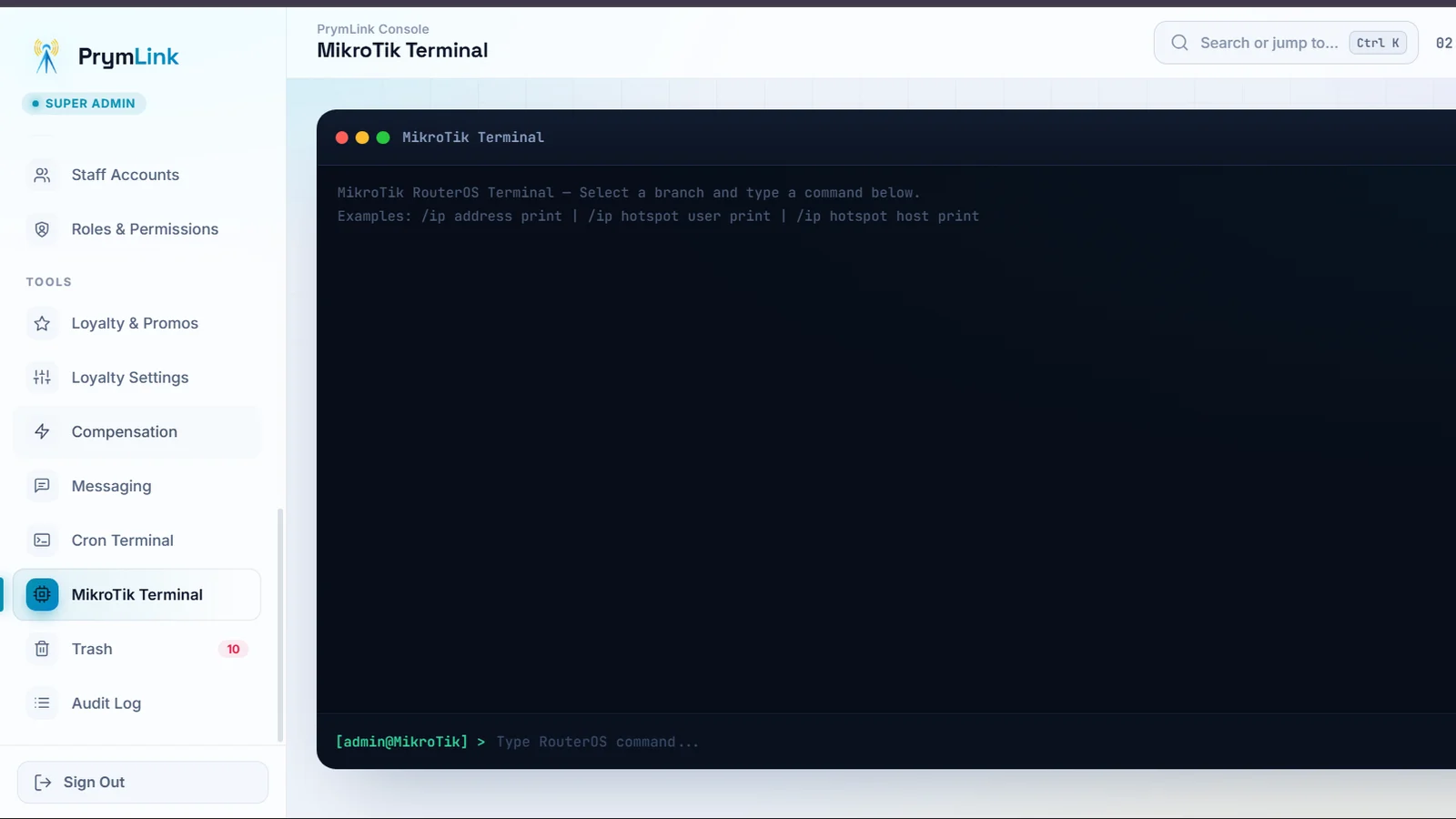
- MikroTik terminal: run RouterOS commands (e.g. /ip hotspot user print) on any branch
- Cron terminal and a self-healing scheduler that keeps routers and records in step
- Connection-health diagnostics read from router logs
- 05
Administration and messaging
Control over who can do what, and a direct line to customers.
- Staff accounts, roles and permissions, and an audit log of every action
- Loyalty and promotion settings, and compensation tools
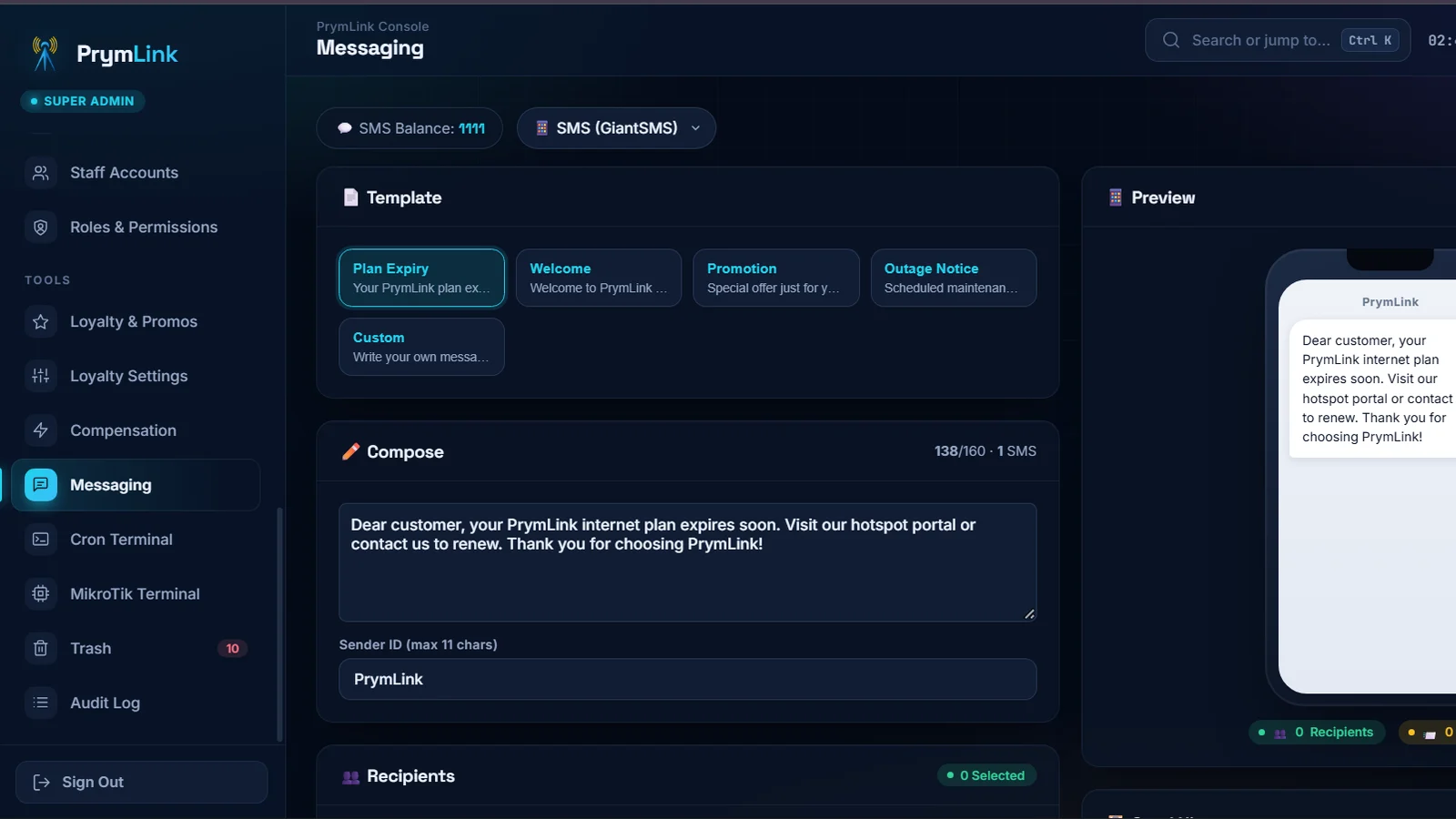
- Bulk SMS through GiantSMS with templates for plan expiry, welcome, promotions and outage notices
- Live message preview, SMS balance and recipient counts before sending
//04 —Screens
Tap to enlarge01Captive portal: customers choose a plan and see the loyalty points it earns
02Bulk SMS messaging with ready-made templates and a live phone preview
03MikroTik terminal: run RouterOS commands against any branch's router
04Customer loyalty rewards: tiers, points earned and free time to redeem
05Mobile Money checkout with MTN, Telecel and AirtelTigo
06Staff console sign-in
//05 —Stack
- PHP 8
- MariaDB
- HTML/JS
- MikroTik RouterOS API
- Paystack
- GiantSMS